
Open Pit Mine Design Software
Pit Shells, Benches, Ramps, Haul Roads, and Surface Infrastructure
Design surface mines from ultimate pit limits down to operational detail. Build benches, ramps, haul roads, and switchbacks with automatic parameter updates. Add waste dumps, stockpiles, powerlines, pipelines, and other surface infrastructure. Create cross-sections and calculate volumes at any project stage.
 Download Presentation
 Update Designs Instantly
Change bench height, slope angle, or ramp position and the entire pit design updates automatically.
Generate Geometry From Parameters
Generate benches, ramps, and switchbacks from parameters instead of manual drafting.
Stay Aligned With Topography
Designs snap to surface topography with automatic wireframe merging.
Evaluate From the Block Model
Calculate tonnage and grade within any pit shell directly from the block model.
Design Open Pits Dynamically
Create large-scale pit projects including final pit design, waste dump design, pushbacks, and pit expansions. Changes to parameters propagate through the entire design automatically.
Build haul road networks with ramps and switchbacks. Move road start points and regenerate geometry instantly. Design top-down or bottom-up depending on your workflow.
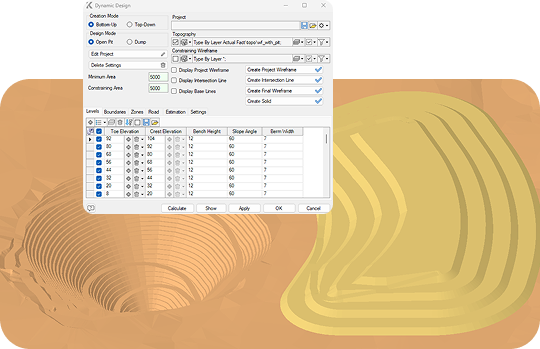
Use topography or lower seam footprints as design constraints. Incorporate geotechnical data through standard polylines and defined bench elevations. Generate design contour isolines directly within the module.
Evaluate designs against the block model to calculate tonnage and grade within the pit shell. Include zones and bench lists for detailed volume breakdowns. Export results as wireframes, solids, or polylines for downstream tasks.
Draft Manually When Precision Matters
Create detailed designs with full manual control when precision matters. Choose from multiple construction methods depending on geometry complexity and available data.
Use snaps for accurate point placement, hotkeys for faster workflows, and specialized editing commands to refine geometry. Combine manual and dynamic tools on the same project.

Support Daily Operations
Design tools for daily mining operations. Update pit geometry as mining progresses, track as-built versus planned surfaces, and generate volume reports for each period.
Bench Design
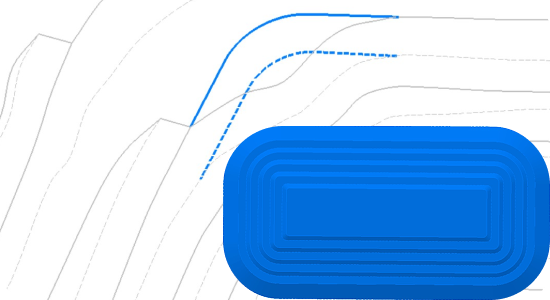
Build benches individually or generate groups simultaneously. Create edges using constant slope angle, variable slope angle, or offset from existing lines. Generate bench groups by setting mining parameters or from a preconfigured cross-section template. Edit geometry with snapping tools and keyboard shortcuts.
Haul Road Design
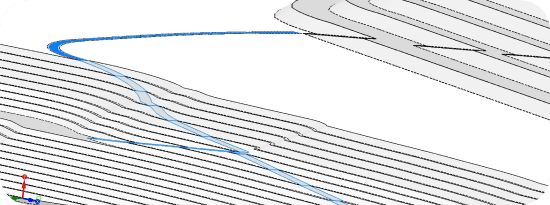
Design haul roads connecting loading points, waste dumps, and plant facilities. Build roads inside the pit or on surface with horizontal and inclined sections. Roads conform to topography automatically with cross-section profiles applied along centerlines.

Generate 2D Sections
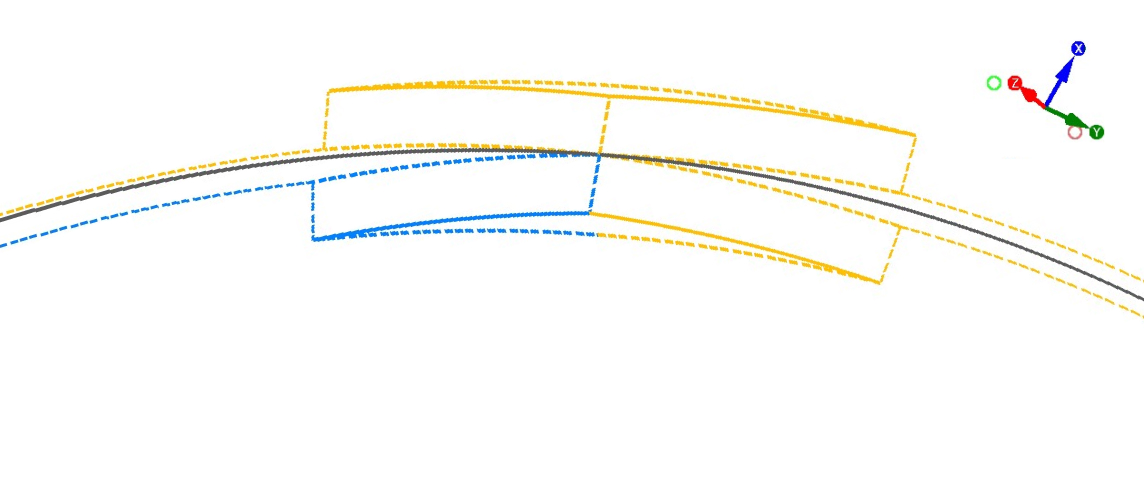
Generate cross-sections using preconfigured templates for analysis and printing. Create geological sections, mining cuts, drilling block profiles, and road profiles from 3D data.
Compare as-built roads against design profiles. Identify deviations and determine where corrections are needed before operations continue.
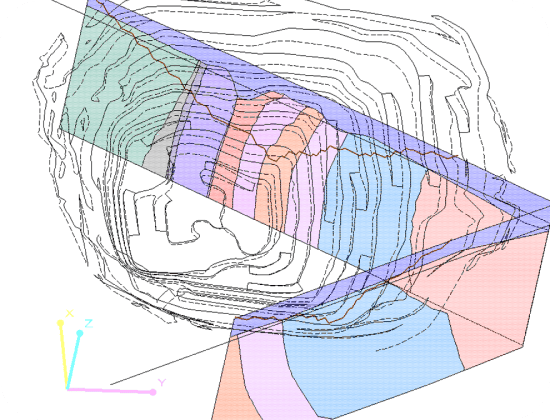
Validate With 3D Sections
Cut dynamic section planes through pit designs, block models, and geological surfaces. View drillholes, grade distribution, and design elements together for validation against geology.
Move section planes interactively through the model. Capture any view for reports or export to 2D drawings for documentation.
Volume Calculation
Calculate excavation and fill volumes using multiple methods: between surfaces, from closed contours, or from block model data. View results with cross-section visualization for verification.
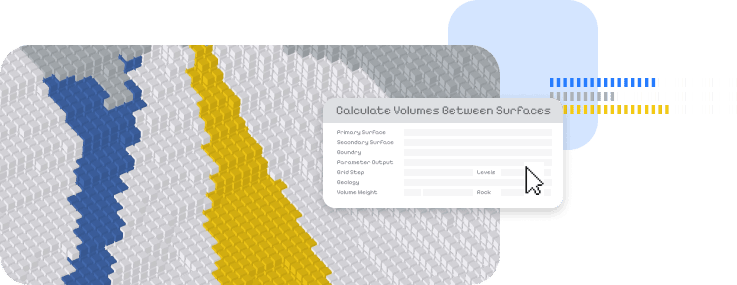
Filter block models to calculate volumes for specific zones. Select the method that fits your data and reporting requirements.
Produce Mining Documentation
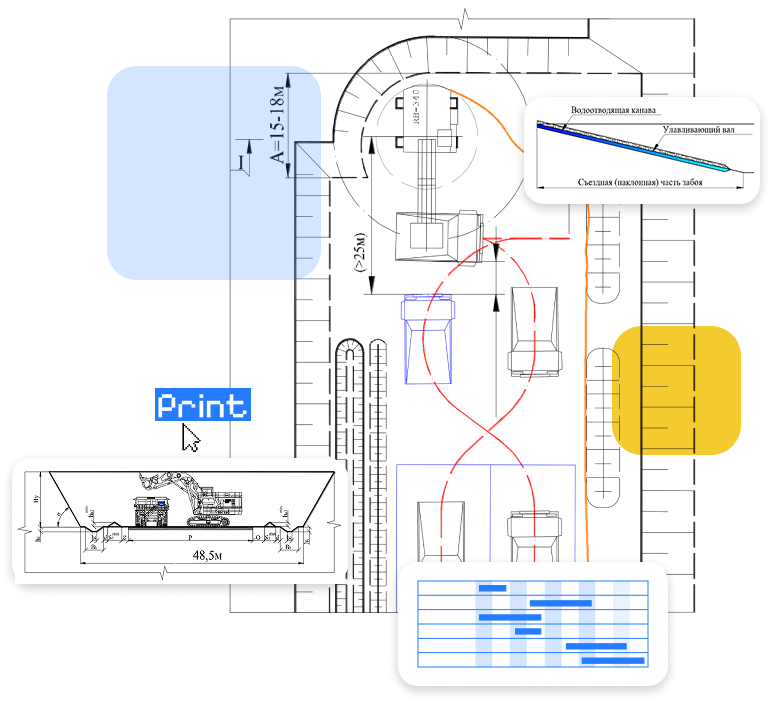
Create standardized mining plans and sections for regulatory submission. Generate bench plans, blast patterns, and drainage layouts from the 3D design. Export drawings in CAD formats with proper layering and annotation. Produce documentation packages that meet site and regulatory standards.






We offer Mining Consulting!
K-MINE combines deep engineering experience with advanced software capabilities, helping mining companies improve operational performance and profitability.
Frequently Asked Questions
Open pit mine design software helps you design surface mines including pit shells, benches, ramps, haul roads, and waste dumps. It calculates volumes and tonnages, integrates with block models, and produces technical documentation for mining operations.
Dynamic design updates automatically when parameters change - modify bench height and the entire pit regenerates. Manual design gives full control over every point and line for precision work. Both methods can be combined on the same project.
Evaluate any pit shell against the geological block model to calculate tonnage and grade. Include zone breakdowns and bench-by-bench volumes. Results update when either the design or block model changes.
Three methods: surface-to-surface (cut and fill), from closed contours, and from block model data. Cross-section visualization available for verification. Filter by zones or benches for detailed reporting.
Yes. Set width, gradient, and turning radius, select a start point, and the system generates geometry along the pit wall. Roads conform to topography with cross-section profiles applied automatically.
Yes. Design waste dumps and stockpiles using the same dynamic workflow as pit benches. Define dump lifts with configurable parameters for height, width, and slope angle.
Request a Demo
See how this module can help your mining operations.