
Open Pit Mine Scheduling Software
Long-Term, Mid-Term, and Short-Term Production Scheduling
Start with your optimized pit phases and build production sequences period by period. Use Solution Finder to generate schedules automatically, or take manual control for precise excavator placement and routing. Manage equipment availability, maintenance windows, stockpiles, and blending constraints, then validate schedules with charts and 3D sequence visualization. Request a demo to review your planning workflow in K-MINE.
 Download Presentation
 Cover Every Planning Horizon
Move from life-of-mine targets to monthly, weekly, and short-term execution schedules.
Choose Optimization or Manual Control
Use Solution Finder to search for feasible schedules, then fine-tune with a manual planner when operational detail matters.
Schedule Around Real Equipment
Assign excavators, set shifts, include maintenance windows, and reflect equipment capacities in each period.
Hit Plant Feed Targets
Blend material from multiple sources and manage stockpiles to keep grades within specification.
Generate Schedules Automatically
Solution Finder builds production schedules from pit phases and pushback sequences. Set constraints such as production rates, grade targets, equipment fleet, and processing capacity, then let the optimizer search for feasible schedules.
Compare scenarios to evaluate trade-offs, and keep results aligned with access requirements and equipment limits.
Control Schedules Manually
Take direct control of block selection and equipment assignment. Place excavators on the bench plan and define exactly which blocks to mine in each period.
Use this approach for short-term scheduling where operational knowledge and local constraints drive the sequence. Combine manual edits with automatic schedules for hybrid workflows.

Build and Compare Scenarios
Create multiple schedule scenarios to test different sequencing, equipment, and grade strategies.
Add Block Models
Use geological block models as the foundation for scheduling. Link tonnage and grade attributes to the scheduling engine and include multiple material types for operational planning. Bring in alternative interpretations when you need sensitivity analysis across geology assumptions.


Track multiple block model versions inside the same project and compare schedule outcomes across resource estimate updates. Quantify how geological uncertainty changes production forecasts, blended grades, and project value drivers.

Search for Feasible Schedules
Solution Finder searches for schedules that meet production and grade constraints. Set NPV maximization as the primary objective, or optimize for strip ratio, equipment utilization, and blending performance, then review candidate schedules against target curves.
Accept solutions that meet requirements or adjust constraints and re-run to explore alternatives.
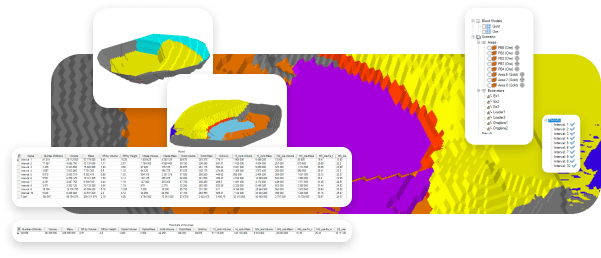
Review Automated Results
Review schedules as Gantt charts, production curves, and period-by-period summaries. Track ore and waste movement, blended grades, and key KPIs over the schedule horizon.
Export schedules for financial modeling and equipment planning, and generate management-ready summaries for review.
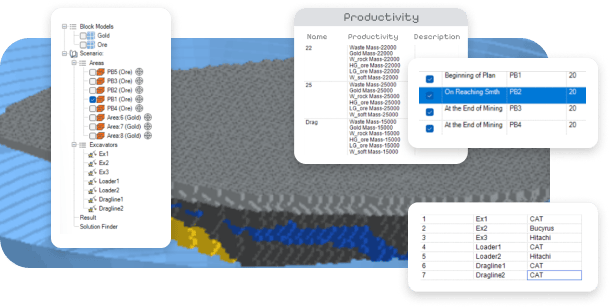
Assign Excavators
Assign excavators to mining faces and set production rates by period. Configure rosters, availability factors, and shift rules, then visualize equipment positions on the bench plan.
Track utilization and productivity against schedule targets to identify bottlenecks early.
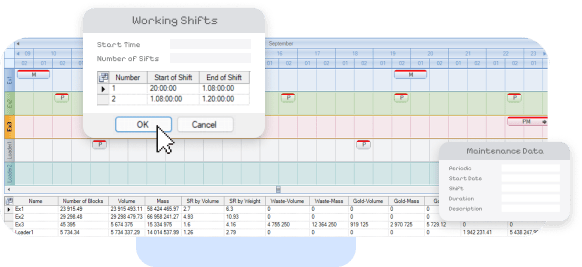
Plan Maintenance Windows
Schedule maintenance and downtime by defining intervals, duration, and availability reductions.
The scheduler respects maintenance windows when calculating production so you can plan realistic sequences and avoid overcommitting the fleet.
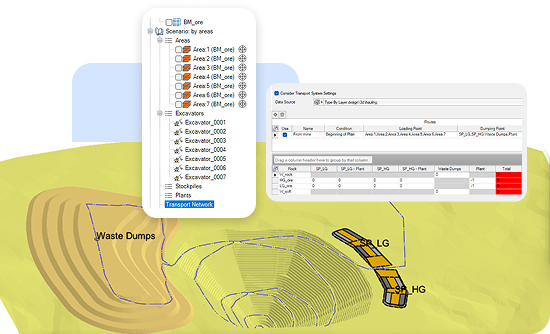
Plan Hauling and Logistics
Define haul routes, dumps, and material flow paths. Estimate cycle times using distance, gradient, and truck capacity, then allocate hauling resources to meet production targets.
Use the logistics setup to reduce haulage cost drivers and avoid congestion points in the schedule.
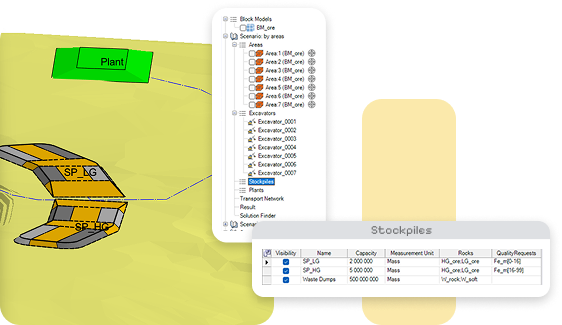
Control Blending and Stockpiles
Blend material from multiple sources to meet plant feed specifications. Define grade targets, blending constraints, and stockpile rules.
The scheduler selects blocks to keep feed within limits while respecting production and equipment constraints.
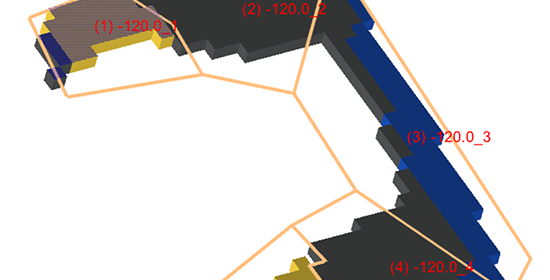
Subdivide Mining Areas
Divide the pit into mining areas for operational control. Assign areas to equipment, define access sequences, and track progress by area against the schedule.
Use subdivisions to coordinate crews, manage priorities, and reduce conflicts between working faces.
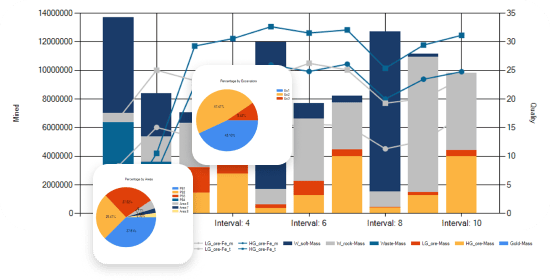
Review Production Charts
View schedules as stacked bar charts and cumulative curves, then compare ore, waste, and total movement over time.
Overlay grade profiles to review blending performance and export charts for reports and presentations.
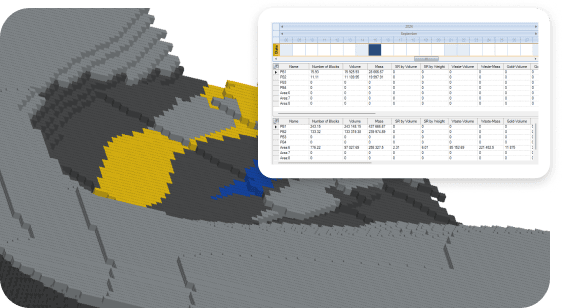
Visualize Sequences in 3D
Animate the mining sequence in 3D and step through periods to validate pit development and access.
Identify conflicts, exposure issues, and sequencing risks before they appear in operations.
Export Final Outputs
Export schedules in standard formats for downstream systems and reporting.
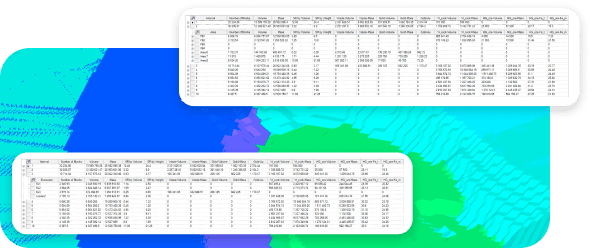
Generate period-by-period block lists for grade control and operational handoff documentation for management approval.








We offer Mining Consulting!
K-MINE combines deep engineering experience with advanced software capabilities, helping mining companies improve operational performance and profitability.
Frequently Asked Questions
Mine production scheduling software sequences mining activities over time, from life-of-mine planning to short-term execution. It assigns equipment, manages stockpiles and blending, and forecasts material movement to processing.
Solution Finder is K-MINE's automatic scheduling optimizer. Define production rates, grade targets, equipment availability, and other constraints, then the algorithm searches for feasible schedules that meet your requirements.
Yes. You can manually select blocks by period, assign excavators, and update plans as operations change. Many teams use a hybrid approach, starting with optimized sequences and then refining short-term periods manually.
Assign excavators and trucks to benches and periods, include maintenance windows and shift patterns, and apply equipment capacities. Track utilization and identify bottlenecks as the schedule evolves.
Outputs include period-by-period production summaries, equipment utilization, blended grade forecasts, stockpile levels, and charts for management review. Export results to Excel or connect to enterprise reporting workflows.
Request a Demo
See how this module can help your mining operations.