












Mining Industry Software / Scheduling
Open Pit Scheduling Software
Long-, mid-, and short-term production scheduling with automatic optimization and manual control
Start with your optimized pit shell and build mining sequences period by period. Use the Solution Finder for automatic scheduling or the manual planner for precise excavator placement and equipment routing.
 Download Presentation
All Planning Horizons
From annual strategic
plans to weekly
operational schedules

Automatic + Manual
Solution Finder optimization or full
manual control over every block

Equipment-Centric
Excavator assignments,
maintenance windows,
shift configurations
Grade Control
Blend material from
multiple areas to meet
plant feed targets

Automatic Planning
Solution Finder automates the search for optimal mining sequences. Define your production targets, equipment constraints, and grade requirements – the algorithm evaluates thousands of scenarios to find the best plan. Adjust parameters anytime and compare results to make confident decisions.

Manual Planning
Build detailed mining sequences with full control over every element. Assign excavators, configure stockpiles and plants, define transport routes. Plan at any scale – from annual targets down to daily operations. Best suited for short-term operational planning where precision matters.

Scenario Сreation
Configure scenarios with the level of detail you need. Define every parameter for precise scheduling, or start with key constraints for a quick baseline plan. Compare multiple scenarios to find the optimal mining sequence.
Add Block Models
Build scenarios with multiple block models. Plan across several deposits or pits in one combined schedule and track tonnage, grade, and equipment for each.

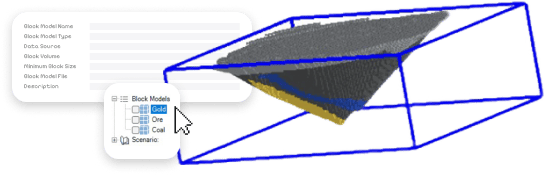
Use different versions of the same block model to compare geological interpretations or test various resource estimation approaches.
Define Areas
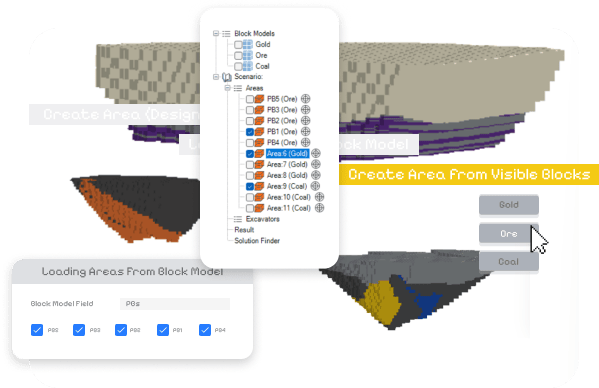
Create mining areas using three methods: load from block model fields, select from visible blocks, or draw manually. Combine methods for complex pit geometries.
Filter the block model to display specific zones, then convert visible blocks to mining areas with one click. For custom boundaries, draw shapes directly in the 3D view.
Reshape areas at any stage as your schedule develops or new data comes in.
Parametrise Areas
Define mining rules for each area: extraction direction, bench sequence, priority relative to other areas. Set constraints that control how and when each zone gets mined.
Adjust parameters and recalculate to compare scenarios. Track tonnage and grade by elevation to see what material comes from each area in each period.

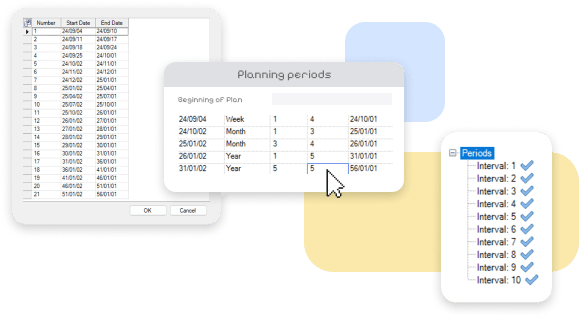
Define Planning Periods
Configure time intervals to match your planning horizon: annual periods for strategic plans, monthly for budgets, weekly or daily for operations. The same scenario structure works across all timeframes.
Generate consolidated schedules ready for management review and approval.

Planning Process
Run Solution Finder for automatic optimization or build schedules manually. Review results, adjust parameters, recalculate until the plan meets your targets.
Automated Searching Tool
Solution Finder tests thousands of mining sequences against your constraints and selects the optimal plan. Set target tonnages, grade limits, and equipment capacity – the algorithm balances all parameters automatically.
Control the search by adjusting priorities and constraints. Track residual volumes by area, limit mining in specific zones, and monitor progress through built-in charts.

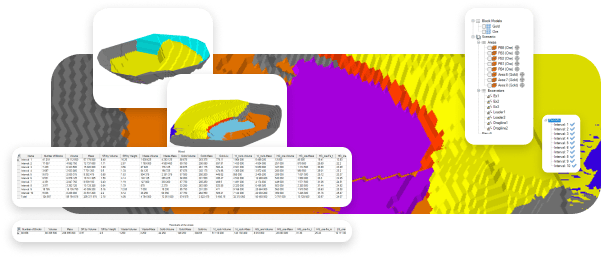
Results of Automated Searching Tool
Export the final sequence as wireframes split by planning period.
Step through results chronologically to visualize mining progression, or display all periods at once.
Manual Planning: Excavators
Refine Solution Finder results for short-term planning. Split areas into smaller zones and assign excavators to each with specific productivity rates and mining directions.
Adjust sequences, test different equipment configurations, and review tonnage outputs until the schedule matches operational targets.

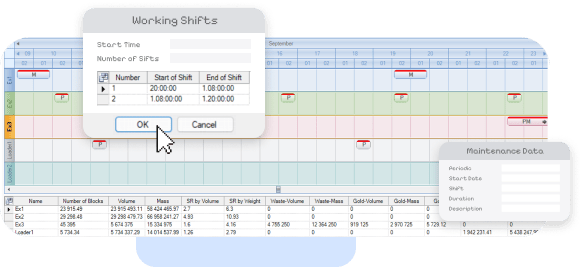
Manual Planning: Maintenance
Add shift schedules and equipment downtime to increase plan accuracy. Define working hours, preventive maintenance windows, and other stoppages for each excavator.
The schedule automatically reduces or removes equipment productivity during maintenance days.
Hauling
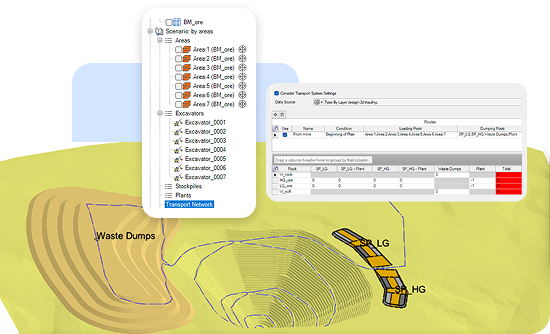
Define haulage routes from production faces to stockpiles and processing plants. Set capacity constraints at each destination and let the algorithm optimize material flow, or assign percentages manually for full control.
Combine both approaches: fix routes for some material streams, let the system optimize the rest. Distribution minimizes tonne-kilometers (TKM) automatically.
Blending
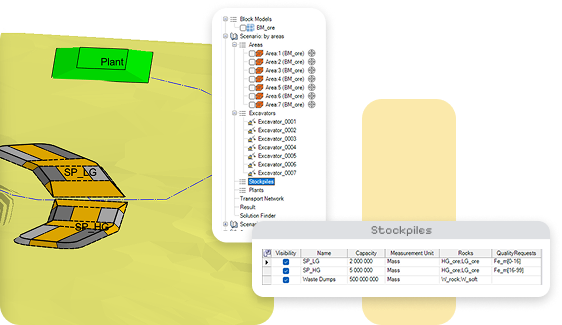
Control material quality through two blending stages. First, blend ore from multiple faces during haulage to stockpiles. Second, blend from stockpiles to the plant to meet final quality specifications.
Assign quality ranges to each material stream and destination. The schedule ensures extraction sequences deliver the right mix to stay within plant requirements.
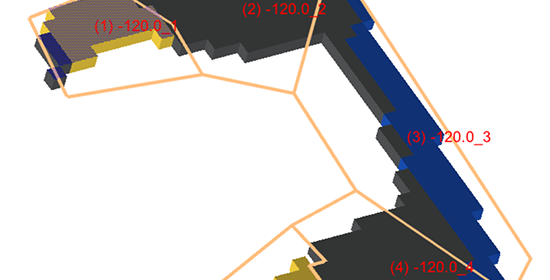
Area Subdividing
Split mining areas into smaller zones when moving from mid-term to short-term planning. Configure extraction parameters by elevation for each sub-area.
Define the mining sequence across sub-areas to control exactly how each zone gets extracted period by period.
Results Analysis: Charts
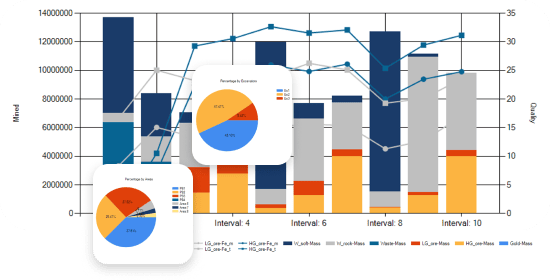
Review schedules through built-in charts: total Run of Mine, distribution by area, or breakdown by excavator. Track tonnage, grade, and equipment utilization across planning periods.
Create custom diagrams to visualize any parameter in the format you need.
Results Analysis: Visualization
Track face movement across all pits in the scenario. Step through the schedule day by day and watch mining progress unfold in 3D.
Identify bottlenecks and sequencing conflicts visually. Spot where equipment idles, areas overlap, or targets fall short – then adjust the plan.


Results
Export final outputs: tables with tonnage and grade data, charts for reporting, wireframes showing mining progression by period, and 3D visualization of the complete sequence.





We offer Mining Consulting!
K-MINE boasts extensive engineering experience and knowledge of our product capabilities, enabling mining companies to enhance their technical and economic performance, increase productivity, and boost profitability.
Frequently Asked Questions
What is the Scheduling module used for?
The Scheduling module in K-MINE is a tool for planning and managing the sequence of mining operations over time. It assists mine planners in organizing excavation, processing, and other tasks to achieve operational efficiency, meet production targets, and adhere to budget constraints.
Who benefits most from the Scheduling module?
Mining engineers, project planners, and managers responsible for strategic planning and resource allocation benefit most. It is particularly useful for open-pit and underground operations requiring precise, coordinated scheduling of resources and workflows.
How does the Scheduling module improve mine planning?
The module integrates scheduling with geological and design data, allowing planners to create time-bound, resource-efficient plans. It calculates required volumes, optimizes resource use, and aligns tasks based on production targets, ensuring that every phase is coordinated and meets operational goals.
Can the Scheduling module handle complex scenarios with multiple sessions?
Yes, the module supports session-based planning, allowing users to define and adjust excavation zones and volume calculations across multiple planning sessions. This feature is ideal for managing large or complex sites with varying operational phases and equipment needs.
How does the Scheduling module support data-driven decisions?
The module allows users to set parameters like bench height, digging reach, and volume limits, then see results in a summary table. This enables planners to compare and adjust settings iteratively, ensuring that schedules are grounded in accurate, data-driven insights.
How does the Scheduling module integrate with other K-MINE tools?
The Scheduling module connects seamlessly with K-MINE’s geological, design, and monitoring modules. This integration enables smooth transitions from design to scheduling to monitoring, ensuring that each phase reflects the latest data and aligns with overall project goals.